Cloud-Based POS System for Restaurants: Architecture, Costs & Selection Guide
Transforming dining operations demands more than a digital cash register. Discover how a modern cloud based POS system restaurant architecture coordinates front-of-house hospitality, back-of-house kitchen pacing, recipe-level food inventory tracking software, and direct-to-consumer digital ordering.
Executive Summary: Key Takeaways
- Infrastructure Freedom: A cloud based POS system restaurant platform eliminates vulnerable back-office server towers, costly software maintenance contracts, and single-point-of-failure vulnerabilities through real-time encrypted cloud sync and resilient offline caching.
- Margin Defense via Inventory: Integrating advanced food inventory tracking software directly into point-of-sale workflows mitigates variance between theoretical and actual ingredient depletion, reducing restaurant food waste by up to 14%.
- Hardware Pitfalls: Investing in depreciated used restaurant POS systems frequently locks operators into obsolete proprietary operating systems, outdated PCI DSS non-compliant payment firmware, and expensive emergency technician service calls.
- The "Free" Illusion: Deploying an entry-level free restaurant pos system often masks excessive payment processing surcharges (often exceeding 3.5%), aggressive feature gating, and restricted register connections that penalize growing restaurants.
- Omnichannel Customer Ownership: Modern dining establishments leverage direct digital channels and automated WhatsApp CRM via platforms like GoHato to recapture up to 30% in delivery commissions charged by third-party delivery apps.
The Architectural Shift: Legacy On-Premise vs. Cloud-Native POS
For decades, the commercial restaurant technology landscape was dominated by monolithic, on-premise point-of-sale architectures. These setups demanded heavy, noisy server cabinets installed in dusty back offices, running proprietary local area networks (LANs) connected via rigid serial cabling to bulky desktop terminals. If a hard disk failed during a packed Friday night dinner service, the entire dining room came to a grinding halt.
Modern hospitality operations operate under an entirely different paradigm. A cloud based pos system restaurant distributes its core relational databases and business logic across enterprise-grade cloud server clusters, interacting seamlessly with lightweight front-of-house tablet hardware, mobile handhelds, and kitchen display units via secure RESTful APIs and WebSocket protocols.
The distinction is not merely academic; it dictates operational resilience, capital expenditure, and agility. When menu prices need updating across twenty locations, a cloud-native architecture executes the change in seconds via an administrative dashboard. Under legacy systems, managers spent days manually flashing each workstation terminal.
Continuous Data Replication
Every ticket fired, table transferred, or ingredient 86'd is instantly replicated to secure cloud infrastructure, preventing local data loss during physical hardware failure.
Local Offline Resiliency
Leading cloud platforms employ edge-caching technologies (such as SQLite or IndexedDB) that allow terminals to process orders, print tickets, and accept transactions during internet outages.
Zero-Downtime Updates
Software features, tax rate alterations, and security patches deploy silently without scheduling expensive on-site technician visits or manual system shutdowns.
Universal Device Portability
Staff run the identical software interface across commercial touchscreen terminals, consumer iOS or Android tablets, and handheld tableside card payment readers.
Front-of-House to Back-of-House: Core Functional Matrix
Determining the best pos for restaurant operations begins with understanding how data flows across the dining room floor to the kitchen pass and the management office. A world-class cloud restaurant POS does not merely act as an electronic till; it functions as the central nervous system of hospitality service.
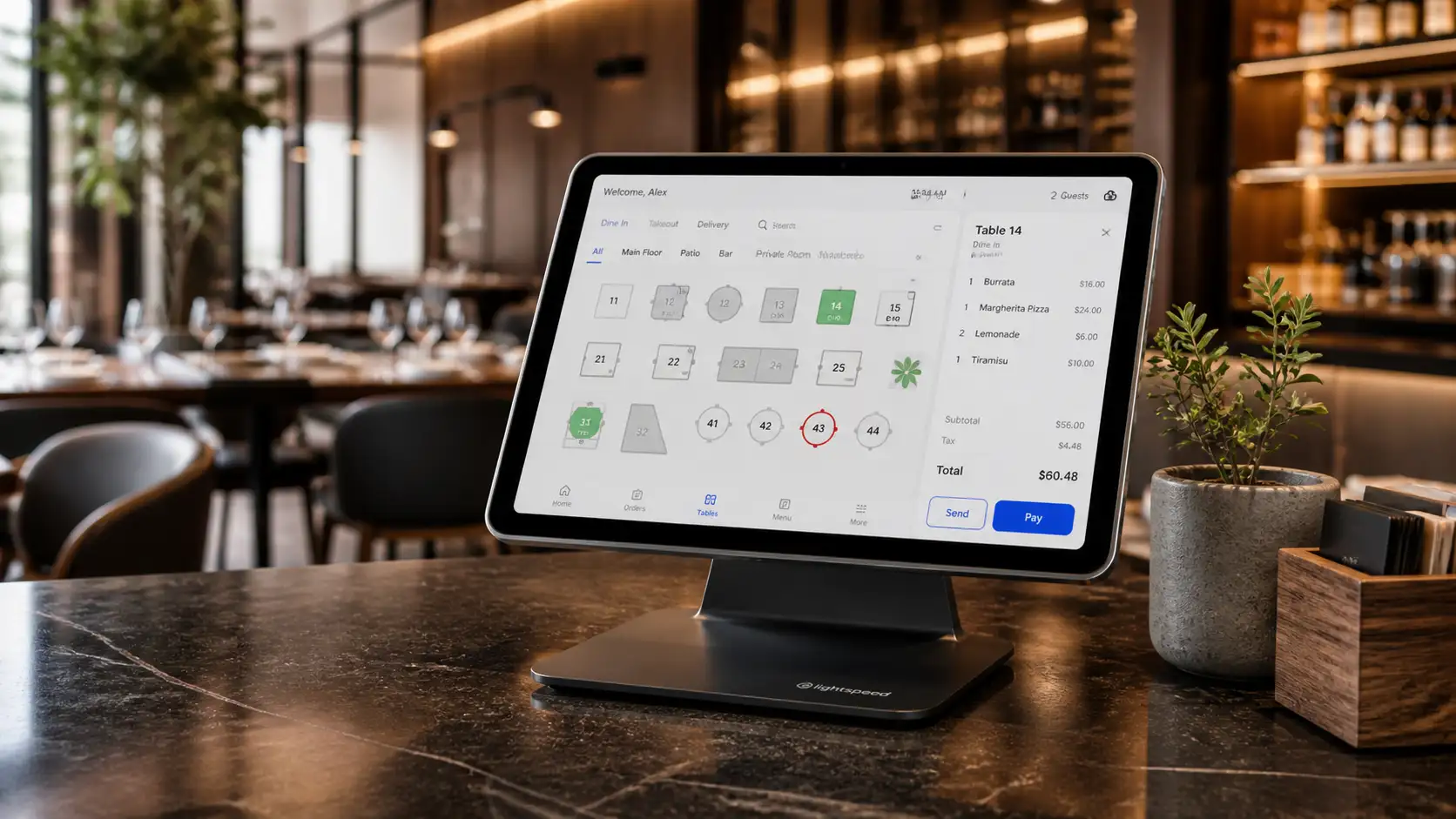
Front-of-house (FOH) workflows demand intuitive graphical table mapping. Servers must be able to visually see section ownership, table occupancy timers, course firing stages, and open tabs at a glance. When a party requests split checks across varying seat numbers or wants to divide bottle charges unevenly, an intuitive POS interface prevents friction and eliminates awkward delays at the end of the guest experience.
Furthermore, modern guest expectations center on mobility. Handheld tableside ordering devices connected to the cloud POS dramatically compress service cycles:
- Reduced Table Turnaround Time: Servers submit cocktail orders directly from the table, allowing the bar team to begin preparation before the server even steps away. Average table turns accelerate by 12 to 18 minutes.
- Fewer Order Errors: Interactive modifier matrices prompt servers for meat temperature, dressing selections, and allergy notifications, eliminating verbal miscommunications.
- Enhanced Tip Volumes: Contactless pay-at-table functionality presents clear gratuity prompts directly to guests, elevating staff compensation and morale.
Kitchen Pacing and Real-Time KDS Synchronization
The traditional paper ticket carousel is notorious for grease splatters, missing chits, and missed allergy notices. In contrast, cloud synchronization enables dynamic Kitchen Display Systems (KDS) that transform back-of-house productivity.
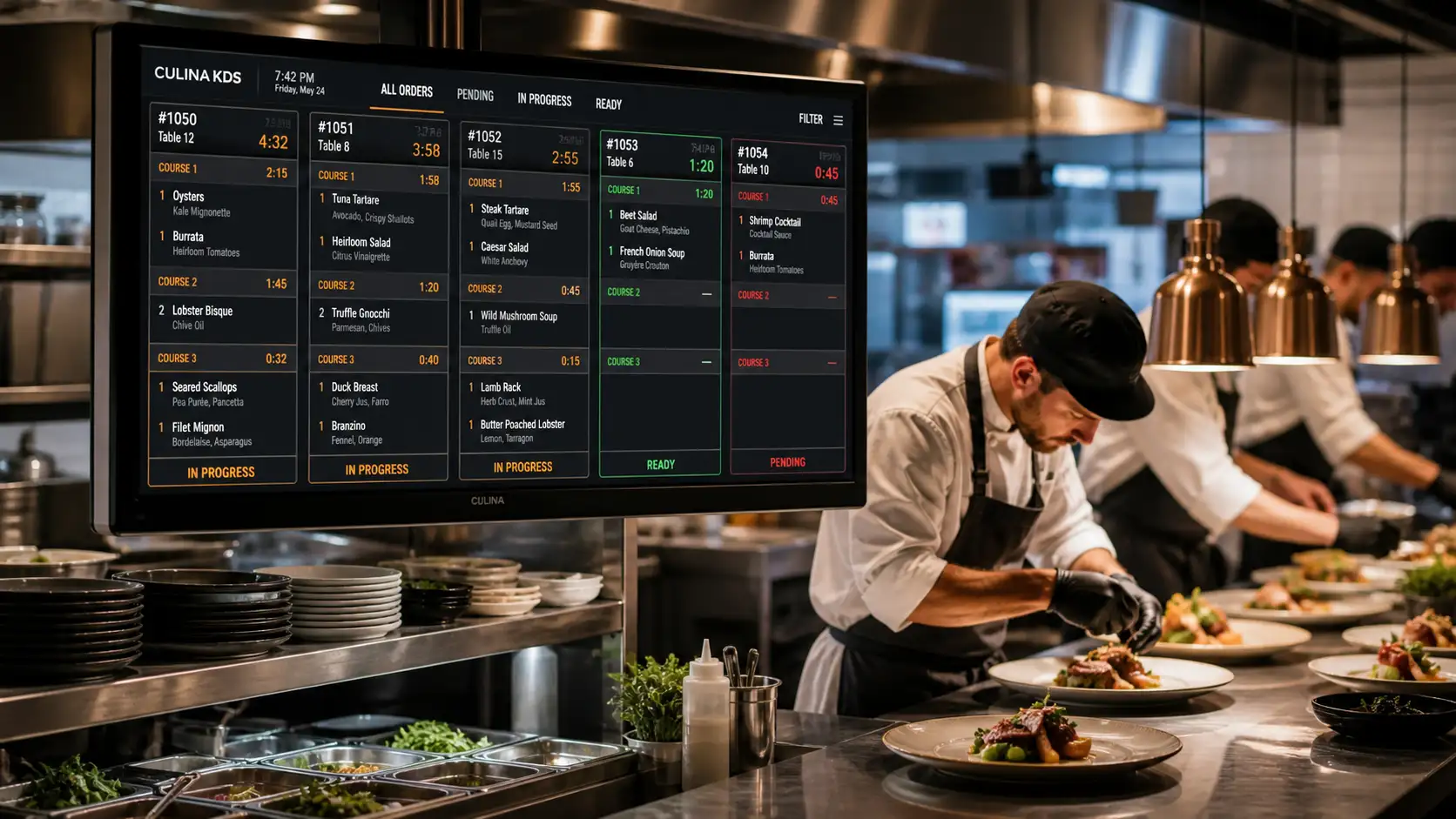
With a cloud-integrated KDS, order lines route automatically based on item categories. The cold larder station sees salads and appetizers; the grill station receives steaks and burgers; the pastry counter receives dessert chits when the FOH server fires Course Two. Digital timers transition ticket cards from green to amber and red as order targets approach, enabling expeditors to identify bottlenecks instantly.
In multi-station environments, "All-Day" summary views aggregate identical menu items across twenty incoming orders, allowing line cooks to batch cook proteins and sides without deciphering dozens of individual slips.
Kitchen-to-Inventory Mastery: Food Inventory Tracking Software
Hospitality operates on razor-thin net margins, typically hovering between 4% and 10%. The single largest variable expense besides payroll is Cost of Goods Sold (COGS). Without integrated food inventory tracking software, restaurants bleed capital through over-portioning, spoilage, theft, and unrecorded kitchen waste.
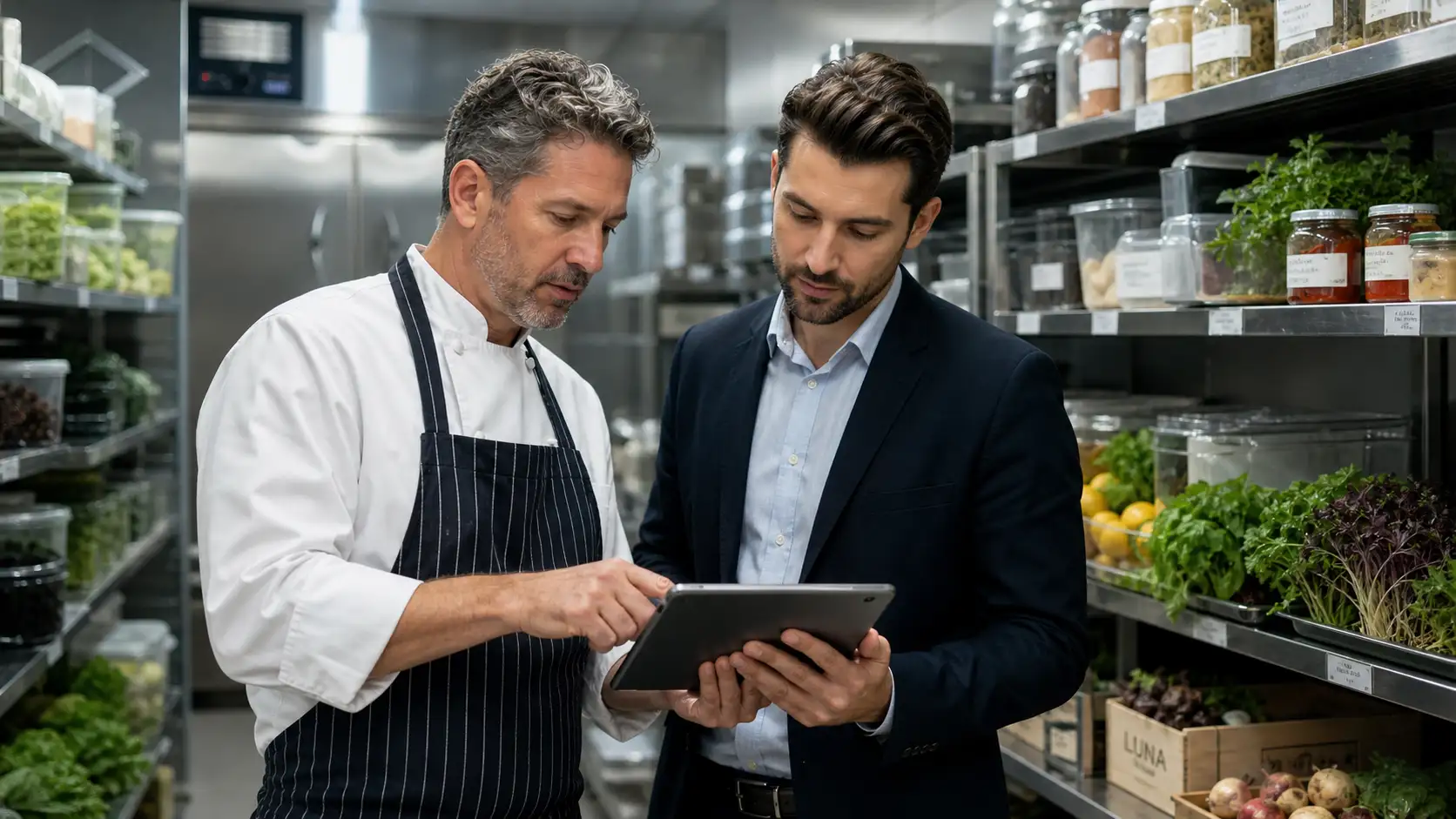
A truly unified cloud restaurant POS connects menu items directly to granular recipe sub-assemblies. When a guest orders a classic Neapolitan Pizza, the cloud database immediately deducts precise quantities from back-of-house storage: 220 grams of "00" flour, 80 grams of San Marzano tomatoes, 100 grams of fresh fior di latte mozzarella, 15 milliliters of extra virgin olive oil, and 3 leaves of basil.
Theoretical vs. Actual Variance Analysis
The gold standard of food cost governance is tracking the variance between Theoretical Food Usage (what should have been depleted according to POS sales data) and Actual Food Usage (what is physically counted during stock audits).
| Tracking Methodology | Audit Frequency | Variance Visibility | Labor Requirement | Financial Impact |
|---|---|---|---|---|
| Manual Spreadsheets | Monthly or Quarterly | Lagging & approximate; fails to pinpoint recipe loss | 12–16 hours per cycle of clerical entry | High unnoticed waste (typically 6–10% of gross inventory) |
| Standalone Inventory App | Weekly | Moderate; requires manual daily CSV export/import from POS | 4–6 hours per week reconciling batches | Noticeable improvement, but friction leads to neglected audits |
| Cloud POS Integrated Inventory | Real-Time Depletion | Instant itemized variance; automatic par-level purchase orders | Under 1 hour per week for cycle counts | Optimized margins; waste reduced by 10–18% within 90 days |
When your cloud POS tracks ingredient yields and supplier invoices, automated par levels notify managers the moment butter, protein loins, or craft beer kegs reach safety stock thresholds. Automated purchase order generation ensures you never run out of signature dishes during peak weekend services.
The True Economics: Evaluating Used Restaurant POS Systems
Startup restaurateurs often scout commercial liquidations or online auction marketplaces seeking used restaurant pos systems in an attempt to trim pre-opening capital expenses. While securing a terminal workstation for $300 seems alluring compared to purchasing modern hardware, this decision frequently proves to be a catastrophic false economy.
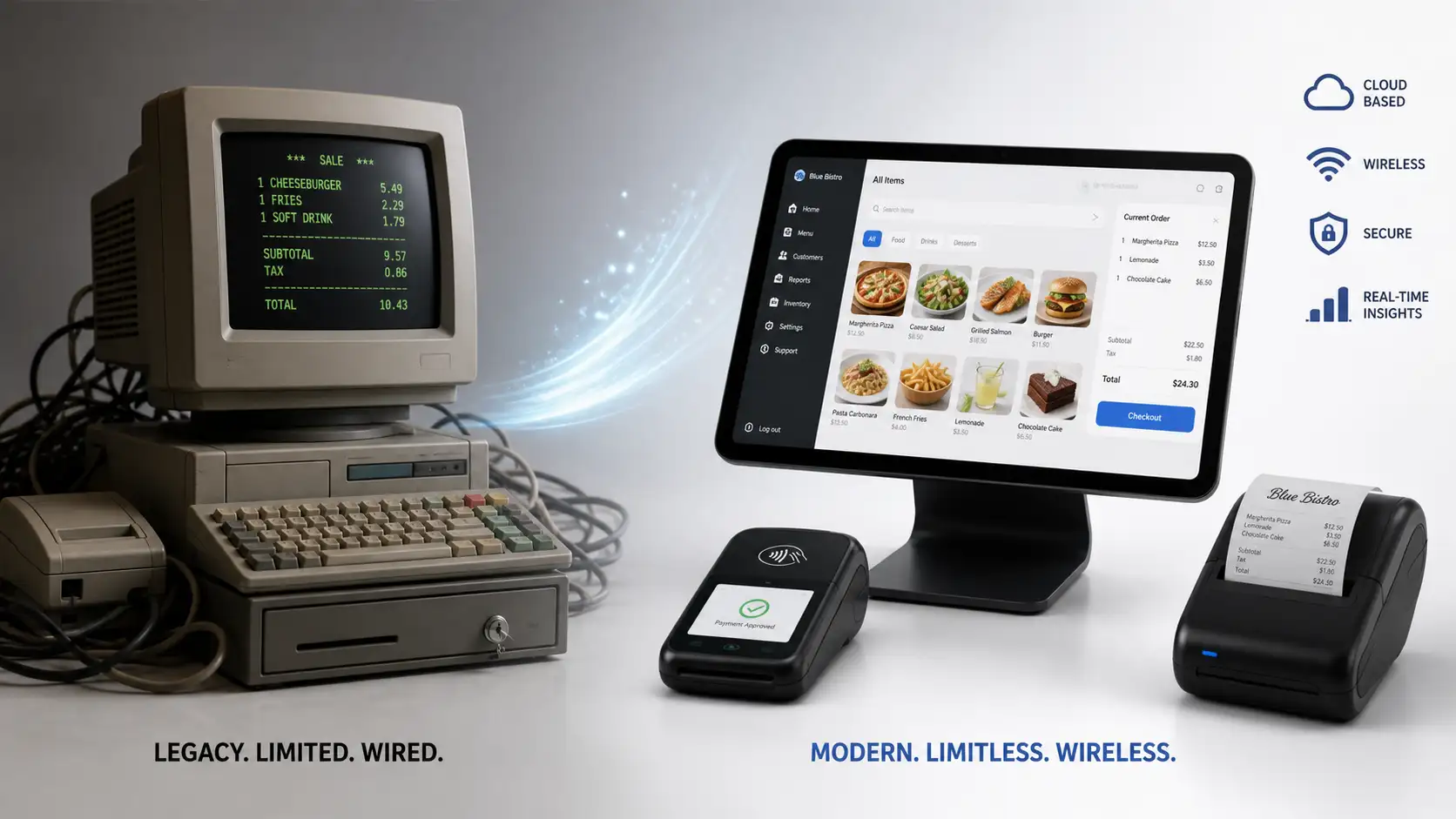
Most second-hand POS terminals are locked to proprietary merchant payment processors or tied to outdated versions of embedded operating systems (such as Windows CE or Windows 7 Embedded) that no longer receive security updates. Attempting to recertify or flash used hardware often costs more in technician consulting fees than purchasing brand-new commercial tablet systems.
Total Cost of Ownership (3-Year Commercial Analysis)
A direct economic comparison illuminates why modern cloud POS deployments consistently outperform legacy second-hand terminals over a standard 36-month operational window:
| Cost Category | Used Legacy POS Setup (2 Stations) | Modern Cloud POS Setup (2 Stations) |
|---|---|---|
| Upfront Hardware Cost | $600 – $1,200 (auction terminals, cash drawers) | $1,100 – $1,800 (commercial tablets, stands, printers) |
| Licensing & OS Flashing | $1,500 – $3,000 (relicensing fees, DB setup) | $0 (included in subscription) |
| Emergency Maintenance & Repairs | $2,400+ ($150/hr technician calls during crashes) | $0 (24/7 cloud support, remote diagnostics) |
| Payment Processing Spread | Proprietary Lock-in (approx. 3.4% + $0.25/txn) | Transparent Processing (approx. 2.4% + $0.10/txn) |
| Feature Upgrades & Integrations | $800 – $1,500 per major version upgrade | $0 (continuous cloud deployment) |
| Estimated 3-Year Total Cost | $12,500 – $18,000+ | $4,200 – $6,500 |
Beyond direct accounting expenditures, legacy hardware failures trigger intangible costs: frustrated guests, delayed table turns, ruined reputations, and server stress during high-volume seatings. Modern cloud platforms run on universally replaceable hardware, meaning a broken terminal can be swapped with a spare iPad or Android tablet in under five minutes.
The Free Dilemma: What to Expect from a Free Web Based Restaurant POS
A burgeoning segment of micro-cafes, market food stalls, and seasonal popups gravitate toward a free web based restaurant pos. The allure of zero monthly subscription overhead is undeniable, but restaurateurs must scrutinize the monetization architecture underpinning any "free" software platform.
As detailed in our comprehensive guide to free restaurant pos system options, software developers incur substantial ongoing infrastructure costs for cloud hosting, data replication, and security audits. When software is advertised as entirely free, the provider extracts revenue through alternative channels:
- Mandatory Payment Processing Surcharges: Free platforms almost universally require you to use their proprietary merchant account, charging 3.5% to 4.2% per swipe—significantly above the competitive interchange-plus rates available through open platforms.
- Gated Operational Capabilities: Basic order entry is complimentary, but connecting a secondary kitchen ticket printer, enabling table seating charts, or unlocking split-billing requires costly monthly feature unlocks.
- Restricted Terminal Volume: Complimentary licenses typically limit access to a single terminal or register. Adding an expeditor station or a patio server immediately pushes the account into an expensive premium pricing tier.
- Lack of Real-Time Food Costing: Essential back-of-house recipe costing and supplier batch tracking are virtually absent in free tiers, leaving operators blind to inventory shrinkage.
For weekend food trucks or experimental stalls, free browser-based systems serve as an acceptable stepping stone. However, full-service dining establishments and high-volume fast-casual eateries quickly outgrow these constraints.
Omnichannel Operations: Direct Takeaway and Third-Party Aggregation
The post-digital dining room is no longer confined to physical four walls. Modern restaurants operate hybrid revenue models: in-person dining, kerbside pickup, corporate catering, and home delivery.
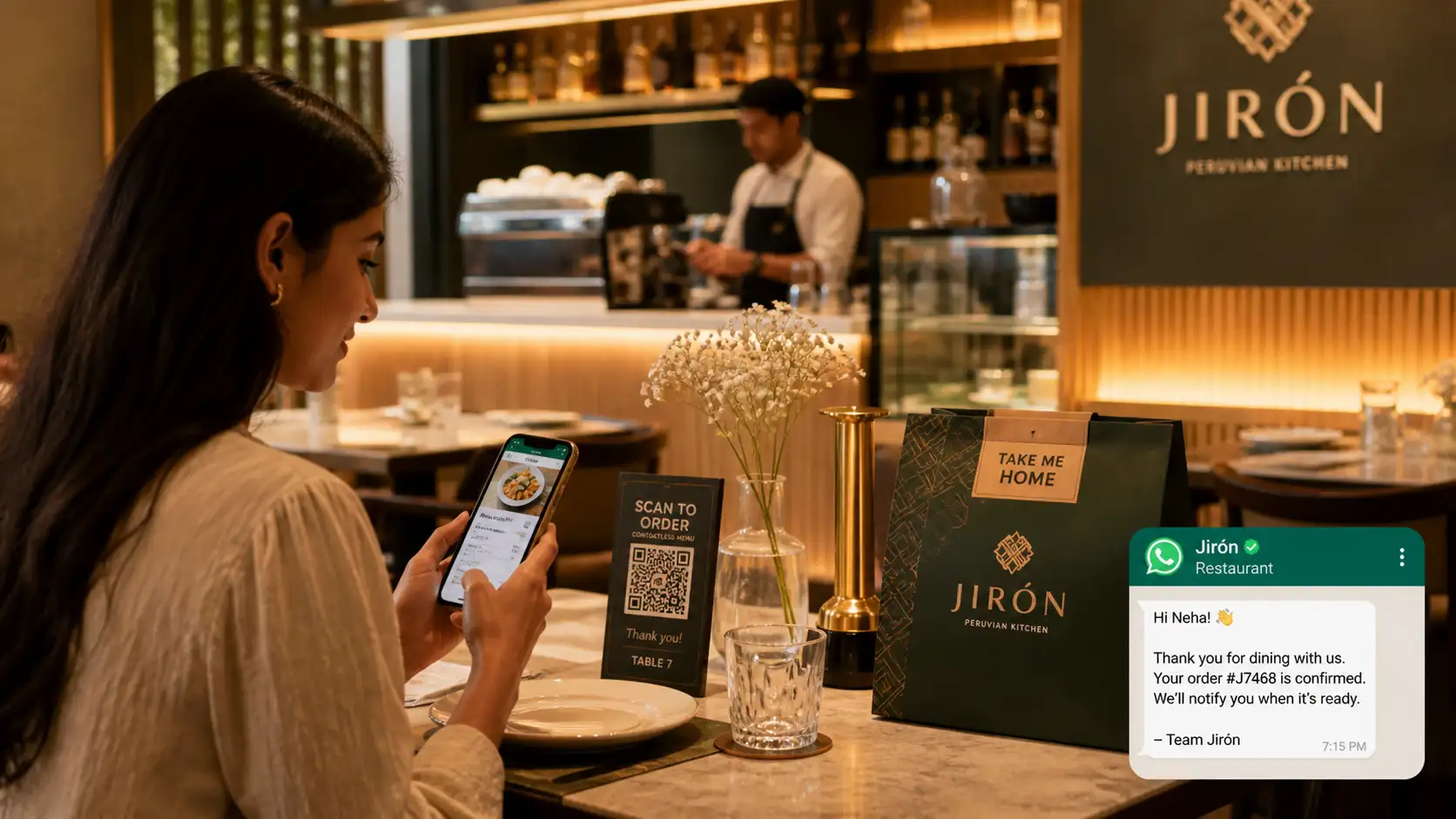
While third-party delivery marketplaces (DoorDash, Uber Eats, Zomato, Deliveroo) provide customer discovery, their 25% to 35% commission structures erode profitability. As explored in our industry analysis on takeaway epos systems, progressive restaurant operators utilize their cloud POS infrastructure to drive high-margin direct digital ordering.
With a cloud platform, orders placed via an online storefront or table QR codes route straight into the unified kitchen display system alongside dine-in tickets. This eliminates the notorious "tablet farm" on the host stand, where employees spent hours manually retyping orders from separate third-party delivery tablets into the main POS.
Direct Customer Engagement: WhatsApp CRM, Invoicing, and Loyalty
Acquiring a new diner costs five to seven times more than retaining an existing guest. Yet, most restaurants fail to capture guest data beyond an occasional email signup slip dropped into a fishbowl.
Traditional email marketing campaigns for restaurants suffer from dismal 15% to 20% open rates. In contrast, modern conversational channels like WhatsApp deliver open rates exceeding 95% and near-instant response times.
Automated Order & Delivery Updates
Guests receive real-time, branded updates directly on WhatsApp the instant their order is confirmed, prepared, out for delivery, or ready for pickup.
Frictionless Digital Tax Invoicing
Eliminate paper receipt rolls. Cloud systems generate compliant GST and sales tax invoices with itemized VAT breakdown and payment links sent via WhatsApp or SMS.
Segmented Re-Engagement Workflows
Automatically re-engage diners who have not visited in 30 days with personalized incentives, chef tasting invites, or birthday milestone perks.
Abandoned Digital Cart Recovery
For direct pickup and delivery orders, automated messaging recovers abandoned digital carts before the dinner rush ends, reclaiming lost sales.
While conventional POS providers force restaurateurs to purchase multiple third-party subscriptions for online ordering, WhatsApp messaging, email automations, and invoicing, GoHato unifies these direct-to-consumer capabilities natively. US-based commerce platform GoHato provides an all-in-one ecosystem with built-in official Meta Cloud API WhatsApp CRM, customizable digital storefronts, automated GST invoicing, and multi-channel customer communications.
Step-by-Step Implementation and Migration Playbook
Transitioning from an existing POS or setting up your initial cloud infrastructure requires disciplined staging to avoid service disruptions. Follow this proven 5-stage deployment methodology:
- Menu Engineering & Matrix Architecture: Organize your complete food and beverage catalog into clean categories, item variants, and modifier groups (e.g., sides, temperatures, allergy substitutions). Program recipe-level ingredient links into your inventory database before inputting pricing.
- Network Resiliency & Dual-Band Setup: Deploy commercial-grade dual-band Wi-Fi routers. Dedicate an isolated 5GHz wireless SSID exclusively for your cloud POS hardware, payment card readers, and KDS screens. Isolate guest Wi-Fi on a separate VLAN to prevent bandwidth bottlenecks during peak dining hours.
- Hardware Deployment & Station Mapping: Mount heavy-duty stands for your front-of-house counter terminals, configure mobile order handhelds, and install heat-resistant KDS touchscreens in the kitchen. Test thermal receipt and impact slip printers across every routing zone.
- Staff Role Simulation & Dry-Runs: Execute simulated dining sessions with your service and culinary teams. Practice split billing, voiding items, applying manager discounts, 86'ing ingredients, and operating in offline mode during simulated internet disconnects.
- Live Cutover & Post-Launch Audit: Schedule your live cutover on your lowest-volume operational day (typically Tuesday morning). Have technical staff on site to monitor ticket flow, and conduct an ingredient inventory count at close to ensure accurate initial variance tracking.
Comprehensive Feature Comparison: Best POS for Restaurant Formats
Different food service concepts demand distinct architectural strengths. The table below outlines critical priority features across varying hospitality operating formats:
| Restaurant Format | Primary Operational Bottleneck | Critical POS Requirements | Recommended Architecture |
|---|---|---|---|
| Full-Service Fine & Casual Dining | Table turn speed, course pacing, complex check splits | Visual floor plans, multi-course firing, tableside pay, sommelier wine inventory | Dedicated FOH tablet stations paired with mobile handheld ordering terminals |
| Quick Service & Fast-Casual (QSR) | Counter order throughput, ticket routing speed | Rapid touchscreen layout, customer-facing displays, self-service kiosks, dynamic KDS | High-speed counter terminals integrated with dual KDS stations and mobile pickup shelves |
| Cloud Kitchens & Multi-Brand Delivery | Multi-aggregator ticket management, packaging coordination | Unified third-party delivery ingestion, brand-level menu switching, direct online ordering | Centrally managed cloud console routing tickets directly to specialized prep lines |
| Cafes, Bakeries & Coffee Bars | High morning volume, perishable recipe tracking | Lightning-fast tender buttons, barcode scanning, bean/milk depletion tracking, digital loyalty | Compact countertop tablet with contactless tap-to-pay and customer loyalty prompt |
Frequently Asked Questions
What is a cloud based POS system restaurant setup and how does it work?
A cloud-based restaurant POS is a modern point-of-sale platform where business databases, menu pricing, transactional histories, and inventory calculations are hosted on secure remote cloud servers rather than on an on-premise computer in the restaurant. Workstations (tablets, handhelds, kitchen screens) connect via encrypted internet connections, allowing restaurateurs to access live operational reports, update menus, and monitor labor from any device anywhere in the world.
What happens if the restaurant loses internet connection during service?
Leading cloud restaurant POS solutions feature native offline modes. The terminals store local operational databases in device memory (using SQLite or IndexedDB), allowing servers to continue entering orders, sending tickets to local kitchen printers via the local Wi-Fi network, and storing card authorizations. Once internet connectivity is restored, all offline transactions and tickets sync automatically to the cloud.
Why should restaurants avoid buying used restaurant POS systems?
Used restaurant POS hardware frequently leads to hidden costs, including obsolete operating systems that fail PCI DSS security standards, incompatible card reader firmware, proprietary software relicensing fees, and high failure rates. In contrast, modern cloud systems utilize affordable, universally available tablets (such as iPads or Android tablets) that cost significantly less over a 3-year lifecycle and offer zero-downtime updates.
How does food inventory tracking software reduce restaurant costs?
Integrated food inventory tracking software automatically deducts raw ingredients from your inventory balances in real time based on the exact recipes sold at the POS. By comparing what ingredients should have been used (theoretical usage) with actual physical stock counts, operators uncover food waste, spoilage, theft, and portioning errors, typically recovering 2% to 5% of gross revenue back to their bottom line.
Can a free web based restaurant POS handle high-volume dining?
Free web-based restaurant POS systems work adequately for single-register popups, food carts, or small coffee kiosks. However, they struggle in high-volume dining because they usually restrict multi-station printing, lack kitchen display routing, gate advanced inventory features, and impose elevated transaction processing rates (frequently 3.5% or higher) that cost more than a transparent paid subscription.
How does GoHato support direct-to-consumer restaurant commerce?
GoHato empowers restaurant brands to build customized direct ordering storefronts, eliminating excessive 30% third-party delivery marketplace commissions. GoHato incorporates official Meta Cloud API WhatsApp CRM to send automated order confirmations, delivery alerts, and digital tax invoices directly to diners' phones, building lasting customer loyalty on an affordable subscription of US$19/month globally or ₹1,000/month in India.
Modernize Your Restaurant Operations with GoHato
Break free from fragmented software tools, obsolete hardware, and steep marketplace commissions. Build your direct digital presence, manage customer communications over WhatsApp, and scale your brand with an all-in-one AI-powered commerce platform.