Free Restaurant POS System: Complete Guide to Zero-Cost Software, Hidden Traps, and Modern Hospitality Operations
Everything hospitality founders, quick-serve operators, and independent restaurateurs need to know before deploying free point of sale technology.
Executive Summary: Key Takeaways
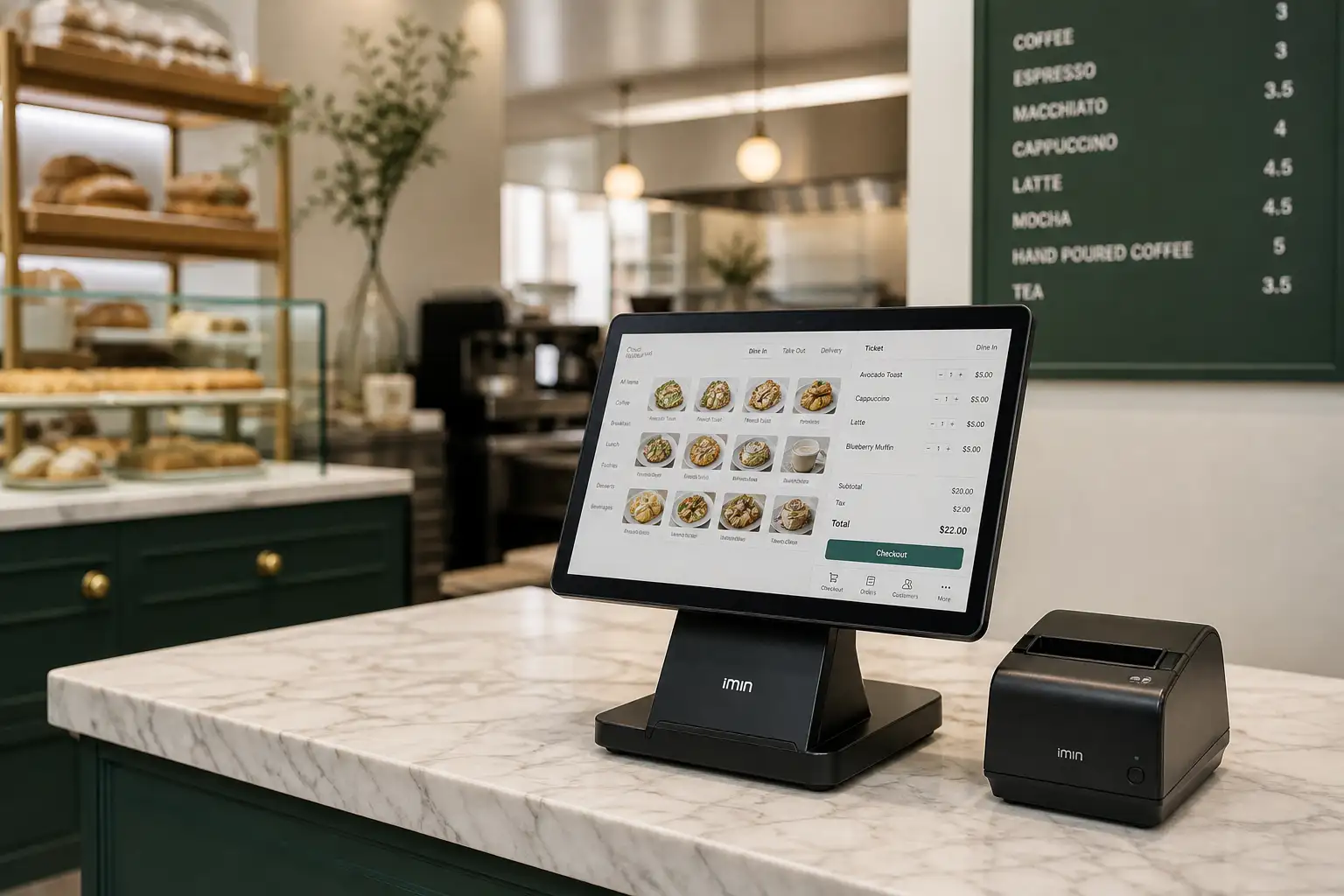
- There is no truly free commerce software: Vendors offering a free restaurant pos system monetize via payment processing markups, locked merchant services, hardware sales, or paid feature tiers.
- Effective transaction costs matter most: A "zero subscription" platform charging 2.9% + 30¢ per transaction will cost significantly more than a modest $60/month system with 2.2% rates once gross monthly sales exceed $15,000.
- Architecture defines operational resilience: A free web based restaurant pos offers instantaneous device setup via any browser, but requires offline caching or local server failover to survive peak-dinner internet dropouts.
- Omnichannel connectivity is the modern frontier: Standalone POS counters are no longer enough. Modern food businesses need seamless bridgeheads connecting in-person tables, kitchen displays, and direct online ordering channels to preserve profit margins against third-party aggregators.
Operating a restaurant, cafe, or quick-service food concept is a rigorous, margin-sensitive enterprise. Labor costs fluctuate, wholesale ingredient prices climb, and customer expectations for rapid, digital interactions have reached an all-time high. Amid these operational pressures, finding a viable free restaurant pos system represents an enticing proposition for independent operators looking to preserve upfront capital.
However, modern hospitality technology is far more than a digital cash register. A contemporary point of sale serves as the central nervous system of your business—routing orders from front-of-house servers directly to the kitchen line, synchronizing ingredient inventory, tabulating split tickets, and consolidating sales metrics. Choosing the right pos for restaurant free requires separating marketing claims from the practical mechanics of payment gateway contracts, hardware compatibility, and day-to-day workflow reliability.
The Economics of "Free": Demystifying What Free Restaurant POS Actually Means
Software development, cloud infrastructure maintenance, security compliance (PCI-DSS), and ongoing product updates require millions of dollars in capital. When technology vendors market restaurants pos software free of monthly licensing fees, they are not offering charity; they have simply shifted where and how they collect revenue.
Understanding these monetization mechanics enables you to calculate whether a zero-subscription offer represents an authentic financial benefit or an expensive operational liability.
1. Integrated Processing Lock-In
The vendor provides the software at zero monthly cost but mandates using their proprietary credit card processing. They charge inflated transaction markups (e.g., 2.9% + 30¢ vs wholesale interchange rates), earning thousands annually from your gross sales volume.
2. Hardware Monopoly
Software is free, but it will only execute on proprietary, locked terminals purchased directly from the vendor at 2x to 3x market hardware rates. Repurposing off-the-shelf tablets or standard network printers is locked out.
3. Freemium Feature Gating
Basic ticket taking is free, but critical features like table mapping, employee shift tracking, modifier groups, and basic sales exports remain locked behind expensive monthly "premium upgrades."
For micro-enterprises—such as mobile coffee carts, weekend market pop-ups, or boutique bakeries generating under $8,000 monthly—a transaction-funded free tier is frequently the most economical route. However, as an establishment scales to $25,000 or $60,000 in monthly credit card receipts, fractional percentage spreads on processing fees quickly surpass what a premium monthly SaaS license would have cost.
Core POS Architectures: Web-Based Cloud, Tablet Apps, and Open Source
Before evaluating specific software providers, operators must evaluate the three foundational architectures available in the modern marketplace. Each approach delivers distinct trade-offs between deployment velocity, internet dependency, and maintenance requirements.
1. Free Web Based Restaurant POS Systems
A free web based restaurant pos runs entirely within a standard web browser (such as Google Chrome, Safari, or Firefox). Because it is built on modern web standards (HTML5, WebSockets, and Progressive Web Application frameworks), you can run your terminal on almost any existing hardware: a desktop PC, a laptop, an iPad, an Android tablet, or even a smartphone.
The primary advantage of web-based engines is immediate setup. You open a browser tab, log in, configure your menu, and begin entering orders. Data synchronizes instantaneously with central cloud databases, giving owners real-time visibility from any remote device. The vulnerability, however, is network sensitivity. Unless the software explicitly supports offline IndexedDB local caching, an unexpected broadband outage during Friday evening dinner service can halt order entry entirely.
2. Native Tablet Applications (iOS and Android)
Native tablet platforms are downloaded directly from the Apple App Store or Google Play Store. Unlike browser tabs, native applications communicate directly with the device's hardware subsystems, facilitating smoother Bluetooth peripheral pairing, local thermal printer communication, and robust offline transaction queuing.
3. Open Source and Self-Hosted Restaurant Software Free
For operators possessing technical proficiency or internal IT support, open source restaurant software free downloads (such as Floreant POS, uniCenta oPOS, or SambaPOS community builds) offer complete license independence. There are no monthly subscriptions, no mandatory payment processors, and no telemetry tracking your sales data.
However, open source deployments carry substantial hidden operational overhead. You are solely responsible for setting up local MySQL or PostgreSQL databases, securing network endpoints, configuring ESC/POS thermal printer drivers, and performing manual daily data backups. If a database corrupts at 8:00 PM during dinner rush, there is no 24/7 customer support desk to call.
In-Depth Evaluation of Leading Free POS Platforms
When searching for a dependable free restaurant management software or front-of-house checkout tool, several names dominate the ecosystem. Here is an objective operational breakdown of the most widely adopted free-tier systems available today.
Square for Restaurants (Free Plan)
Square revolutionized counter commerce by democratizing card acceptance without monthly software fees. Its dedicated restaurant iteration provides an intuitive user interface, comprehensive table management, split checks, and dark-mode kitchen order routing.
- Cost Structure: $0/month software; card-present transactions cost 2.6% + 10¢; manual keyed-in transactions cost 3.5% + 15¢.
- Strengths: Fast onboarding, excellent hardware design, robust offline mode, and intuitive visual table layout editor.
- Weaknesses: Custom payment processor integration is impossible; multi-location menu synchronization and advanced reporting require upgrading to the Plus tier ($60/month per location).
Toast (Pay-As-You-Go / Starter Tier)
Toast is an industry heavyweight designed specifically for food and beverage establishments. While historically an enterprise-only paid subscription, Toast introduced starter programs targeting smaller venues.
- Cost Structure: $0 upfront hardware and $0/month software under certain promotional agreements; transaction fees are elevated to approximately 2.99% + 15¢ to subsidize equipment and licensing.
- Strengths: Commercial-grade spill-resistant Android hardware, exceptional kitchen display system (KDS), and deep restaurant-specific menu logic.
- Weaknesses: Long-term contracts, strictly proprietary hardware that cannot be repurposed if you leave, and hefty terminal cancellation clauses.
Loyverse POS
Loyverse is one of the most popular global freemium POS options for micro-cafes, bistros, and coffee shops. It runs smoothly on iOS and Android consumer tablets.
- Cost Structure: Core POS is 100% free with no forced payment processing lock-in (use any external card terminal). Add-ons are monetized: Employee Management ($5/month), Advanced Inventory ($25/month), and Integrations ($9/month).
- Strengths: You can bring your own card processor without paying software penalties; supports free kitchen display apps (Loyverse KDS) and customer display apps.
- Weaknesses: Lacks advanced table floor plans, seat-based ordering, and complex course firing right out of the box.
Comprehensive Comparison Matrix
| Platform | Monthly License | Card Processing Model | Hardware Compatibility | Offline Capabilities | Best Suited For |
|---|---|---|---|---|---|
| Square for Restaurants | $0 (Free tier) | Mandatory Square (2.6% + 10¢) | iPads, Square Register, Square Terminal | Strong (Queues offline payments) | Fast casual, cafes, boutique bistros |
| Loyverse POS | $0 (Core features) | Processor-agnostic (BYO Gateway) | iOS, Android tablets & phones | Basic sales caching | Coffee shops, food trucks, dessert bars |
| Toast Starter | $0 upfront / fee-subsidized | Mandatory Toast (~2.99% + 15¢) | Proprietary Toast Android hardware | Enterprise-grade local mesh | Full-service dining rooms, bars |
| uniCenta oPOS | $0 (Open source GPL) | Processor-agnostic (CardConnect, etc.) | Windows, Linux, Java PC terminals | 100% Local (Requires local database) | Tech-savvy owners, custom IT venues |
| eHopper | $0 (Essential plan) | Integrated or surcharge processing | Windows PC, iPads, Poynt terminals | Limited | Quick-serve counters, kiosks |
Essential Feature Blueprint: What Every Food Service System Must Deliver
Hospitality venues cannot operate on generic retail cash register software. A retail POS assumes a customer takes a single barcode-scanned item to a cash counter, pays, and exits. Food service involves modifiers, coursed preparation, variable table turnover, and synchronized kitchen notifications.
When auditing any restaurants pos software free plan, ensure the baseline configuration includes these mission-critical operational tools:
1. Hierarchical Modifier Groups and Item Customization
Every beverage or dish requires layered choices. Consider a classic burger order: meat temperature, cheese selection, sauce on the side, gluten-free bun substitute (+ $2.00), and side item selection. A proper system must handle:
- Forced Modifiers: The server cannot send the order without selecting a required option (e.g., salad dressing or steak temperature).
- Optional / Add-On Modifiers: Price adjustments that automatically increase the ticket balance (e.g., extra bacon, oat milk substitute).
- Negative Modifiers: Visual kitchen instructions such as "NO onions" or "ALLERGY: Nut Free" displayed prominently in bold red text on kitchen screens.
2. Dynamic Floor Plans and Table Status Tracking
Full-service restaurants depend on visual floor maps that mirror their actual dining room layout. Critical floor management features include:
- Color-coded table states (e.g., Green = Seated, Yellow = Food Fired, Blue = Bill Printed, Gray = Dirty/Needs Busing).
- Table merging and splitting for unexpected large party reservations.
- Seat-based ordering, ensuring servers know exactly who ordered the roasted duck without auctioning plates when food arrives at the table.
3. Bill Splitting and Multi-Tender Payments
Few things slow down a dining room on Saturday night like a party of eight attempting to split a bill. Your software must split tickets by seat, split check totals evenly across multiple credit cards, and handle mixed tender (part cash, part mobile wallet, part credit card) without corrupting daily reconciliation reports.
Food Costing, Recipes, and Inventory Management Realities
In retail, when you sell a pair of denim jeans, your system simply subtracts one unit from SKU #104. In food service, selling a margherita pizza does not subtract a single "pizza" from a shelf; it consumes 250 grams of fermented flour dough, 80 grams of crushed San Marzano tomatoes, 100 grams of fresh mozzarella, two basil leaves, and 15 milliliters of extra virgin olive oil.
True free restaurant management software should support ingredient-level recipe costing, but this is precisely where most zero-cost software fails. Standard free tiers rarely support sub-recipe deconstruction without a paid upgrade.
What Free Tier Inventory Can and Cannot Do
- What Free Tiers Handle Well: Finished item counts (e.g., tracking pre-bottled kombucha, craft beers, or retail bags of roasted coffee beans). Once 24 bottles are sold, the system marks the item as "86'd" (sold out) across all ordering screens.
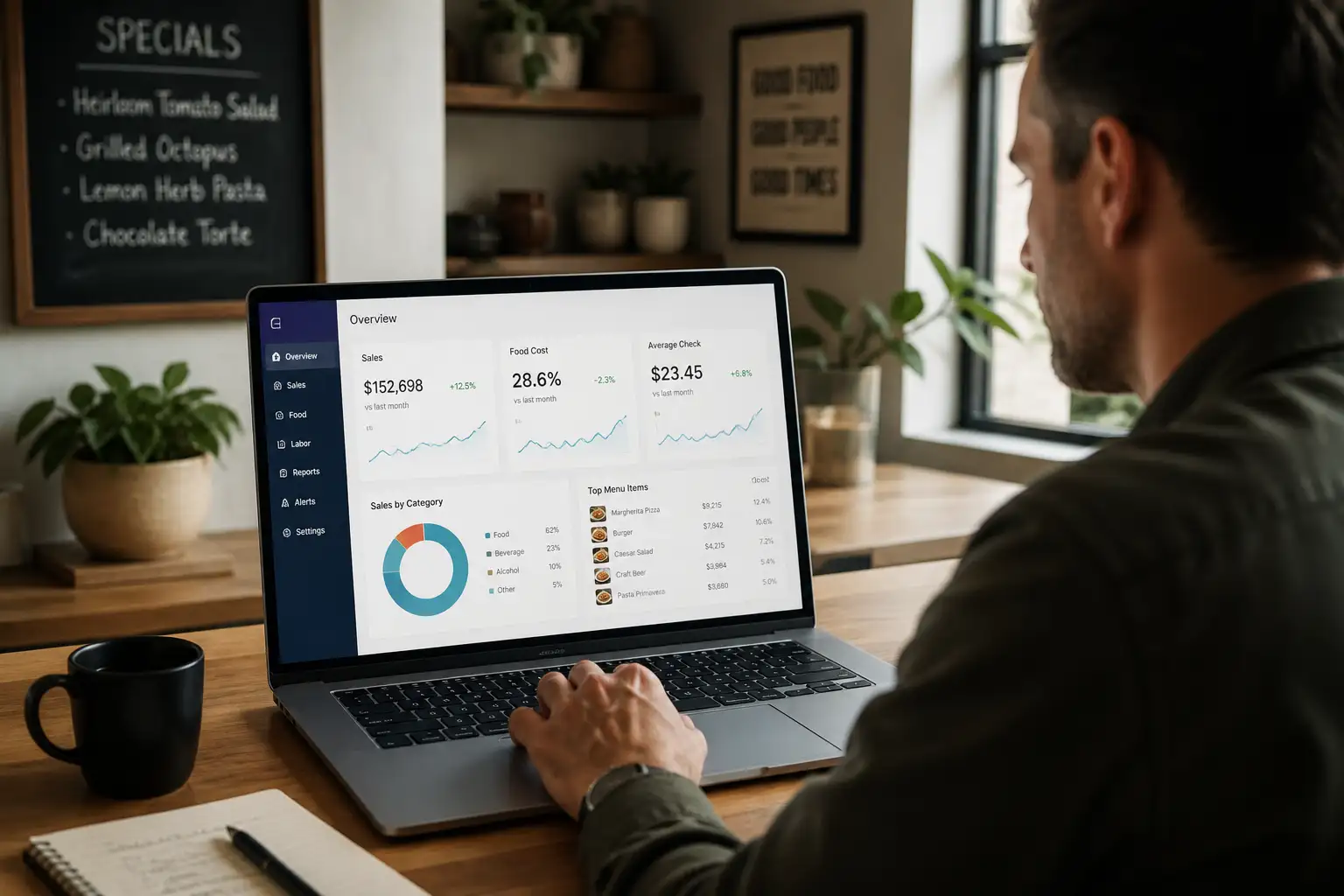
- What Requires Advanced Software: Theoretical vs actual food cost variance analysis, dynamic recipe yield adjustment based on raw meat trimming, automated purchase order creation when dry pantry stocks drop below parity, and automated supplier invoice ingestion.
If food waste and plate cost variance are eating into your net margins, relying strictly on a bare-bones free tier will quickly cost more in undetected inventory leakage than an integrated management software investment.
Kitchen Order Routing: KDS Workflows vs Paper Printing
How an order travels from the server's fingertips to the prep line determines kitchen ticket execution speed. Operators must weigh traditional thermal impact printers against digital Kitchen Display Systems (KDS).
Impact Kitchen Printers
Thermal impact printers (like the industry-standard Epson TM-U220) print physical tickets using ribbon ink that resists kitchen heat and humidity. They emit a distinctive mechanical buzz that alerts cooks to incoming tickets. However, paper tickets can be misplaced, oil-stained, or dropped during intense shifts.
Kitchen Display Systems (KDS)
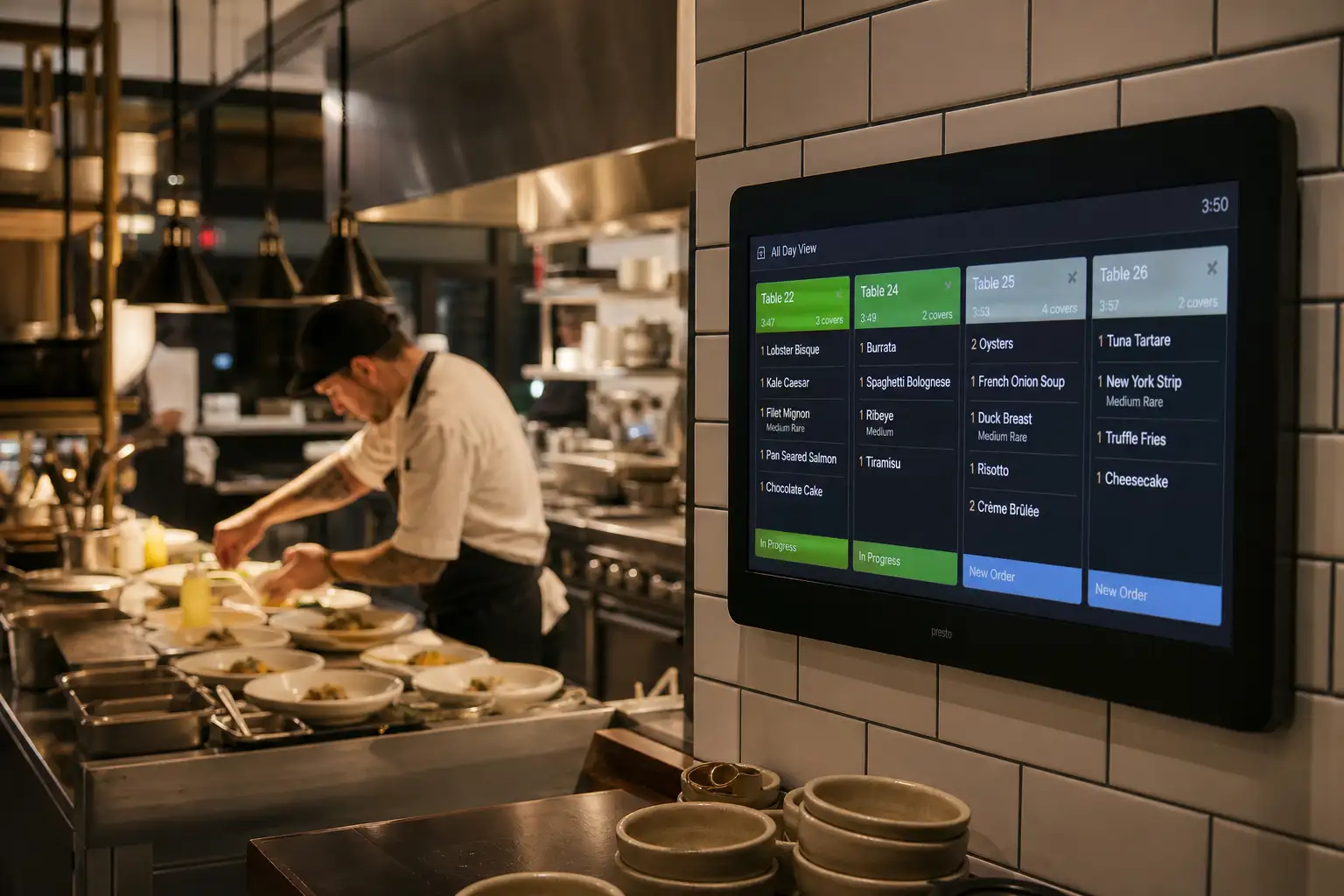
Mounted touchscreens or bump-bar monitors organize tickets sequentially. Tickets change color from green to amber to red as cook timers elapse. Stations can be separated so the salad pantry only sees cold appetizers while the grill station sees steaks and burgers.
Platforms like Loyverse provide a dedicated KDS application that runs on inexpensive Android tablets at zero extra software cost. For fast-casual, takeaway, and cloud kitchen models, adopting a digital KDS dramatically reduces order fulfillment errors and speeds up ticket times. For comprehensive operational setups, you can explore detailed workflows in our guide to takeaway and quick-service EPOS architecture.
Omnichannel Evolution: Bypassing Commission Traps with Direct Commerce
Over the past decade, consumer dining habits permanently shifted toward digital convenience. Customers expect to view real-time digital menus, order ahead for curbside pickup, scan QR codes at tables for contactless ordering, or place direct home delivery orders.
Historically, restaurants turned to third-party aggregator marketplaces (such as DoorDash, Uber Eats, and Zomato) to fulfill digital demand. But these platforms extract crushing commissions ranging between 20% and 35% of every gross order. In an industry where net restaurant margins often hover between 6% and 12%, surrendering a third of your topline revenue turns profitable shifts into net losses.
Owning Your Customer Relationships
Forward-thinking food brands, bakeries, beverage makers, and culinary D2C entrepreneurs are fighting back by building their own branded digital ordering infrastructure. Rather than renting their audience from delivery middlemen, they capture direct customer data, telephone numbers, and email contacts.
This is where modern multi-channel platforms like GoHato redefine food and retail commerce. While standard counter POS tools handle in-person cash and card swipes, GoHato provides an AI-powered commerce ecosystem that equips operators with custom branded online storefronts, catalog management, automated invoicing, and direct customer engagement tools.
With GoHato's integrated WhatsApp CRM powered by the official Meta Cloud API, hospitality merchants can send automated order confirmations, dispatch delivery updates, collect customer feedback, and re-engage dormant patrons with targeted promotions without paying third-party marketplace commissions or stacking multiple disconnected SaaS subscriptions.
For independent brands operating globally, GoHato offers international standard pricing at just US$19 per month, while providing a special India-market discounted offer of ₹1,000 per month to support regional entrepreneurs. Rather than managing five separate subscription bills for online stores, customer CRM, invoicing, and email automation, operators unify their entire digital presence under a single, streamlined dashboard.
Hardware Sourcing: Building a Durable Setup Without Overspending
Even if your software costs zero dollars, physical point of sale hardware requires genuine capital investment. Sourcing the right peripherals prevents expensive driver incompatibilities and frequent hardware failures.
1. Touchscreen Terminals: Commercial vs Consumer
Many operators launch with consumer Apple iPads (9th or 10th generation) housed in secure, lockable metal stands. Consumer tablets deliver beautiful retina displays and familiar interfaces for young staff. However, in hot kitchen environments or venues exposed to direct sunlight, consumer tablets can overheat and trigger thermal shutdowns. For high-volume bars and open-air food trucks, commercial-grade Android terminals equipped with internal cooling fans and spill-resistant casings offer superior longevity.
2. Receipt and Kitchen Printers
Always verify printer communication protocols. The industry standard is ESC/POS command emulation:
- Ethernet (LAN) Printers: Connect directly to your network router via Cat6 cables. This is the most reliable connection type for kitchen printers and busy front counters.
- Bluetooth Printers: Best suited for mobile food trucks and small coffee carts where running network cables is impractical.
- USB Printers: Reliable for fixed-station PC setups, but generally incompatible with iPad or cloud mobile terminals.
3. Cash Drawers and Barcode Scanners
Standard cash drawers connect directly to your thermal receipt printer via an RJ11/RJ12 telephone-style cable. When a cash transaction completes on your screen, the printer fires a 24V electrical pulse down the cable, automatically kicking the drawer open.
Total Cost of Ownership Audit: 3-Year Financial Model
To illustrate the true financial impact of choosing a pos for restaurant free versus a paid subscription with competitive processing rates, let us evaluate a realistic 36-month cost model for a fast-casual venue averaging $30,000 in monthly credit card sales.
| Expense Category | Scenario A: "Free" Software (Square Free Tier) | Scenario B: Flat Monthly SaaS + Wholesale Processing |
|---|---|---|
| Monthly Software Fee | $0 / month ($0 over 3 years) | $69 / month ($2,484 over 3 years) |
| Credit Card Processing Rate | 2.6% + 10¢ flat rate | Interchange Plus (Effective ~2.15% + 8¢) |
| Monthly Transaction Fees ($30k volume, 1,200 orders) | $780 + $120 = $900 / month | $645 + $96 = $741 / month |
| 3-Year Total Processing Cost | $32,400 | $26,676 |
| Hardware Investment (Upfront) | $1,100 (iPad, Stand, Terminal, Printer) | $1,250 (BYOD Terminal, Stand, Printer) |
| Total 3-Year Cost of Ownership | $33,500 | $30,410 |
| Net Financial Outcome | Base Baseline | $3,090 NET SAVINGS with Paid Software |
As the mathematical model proves, at $30,000 in monthly sales volume, the "free" software model actually costs the merchant $3,090 more over three years because the vendor makes their money on the wider payment processing spread. When sales hit $60,000 monthly, that spread penalty doubles to over $6,000. Operators must evaluate their projected sales volume before declaring a free system the cheapest choice.
Step-by-Step Implementation and Migration Playbook
Deploying or migrating a point of sale platform while maintaining live food service requires structured execution. Follow this four-phase operational checklist:
Phase 1: Network & Wi-Fi Hardening
Separate your restaurant Wi-Fi into two distinct Virtual Local Area Networks (VLANs). Keep your POS terminals, kitchen printers, and payment card readers on an encrypted, hidden SSID. Never allow public guests to stream video on the same Wi-Fi network that handles your kitchen ticket traffic.
Phase 2: Menu Engineering & Modifiers
Do not simply copy-paste a PDF menu. Organize categories logically by course (Beverages, Starters, Mains, Desserts). Standardize your modifier groups so that choices flow intuitively for fresh hires on their first shift.
Phase 3: Service Dry-Run & Kitchen Fire Drills
Two days before official launch, stage a simulated service. Have staff key in complex mock orders: half-and-half toppings, split checks, voided items, and discount coupons. Confirm tickets print cleanly at the appropriate line stations.
Phase 4: Parallel Cutover & Go-Live
Execute your cutover on your quietest weekday morning (typically Tuesday). Keep legacy paper guest checks on hand as an emergency backup. Verify end-of-day batch settlement matches your cash drawer totals precisely.
Frequently Asked Questions
Can a free restaurant POS system work reliably without an internet connection?
Are free web based restaurant POS systems secure and PCI-compliant?
Can I bring my own existing hardware with free restaurant software?
How do free restaurant management software platforms handle taxes and gratuities?
When should an expanding restaurant graduate from a free POS to a paid platform?
Conclusion and Strategic Recommendations
Selecting a free restaurant pos system is one of the most consequential operational decisions an independent hospitality operator will make. In the early stages of launch, a zero-dollar software tier provides invaluable runway, freeing up scarce cash reserves for rent, buildouts, and initial inventory purchases.
However, true commercial longevity requires looking beyond the checkout counter. Successful modern food and beverage businesses do not limit their revenue to physical tables alone. They build direct customer equity through digital menus, branded online stores, and conversational customer channels that protect their profit margins from aggregator commissions.
By pairing dependable front-of-house point of sale hardware with an agile, unified commerce platform like GoHato, food entrepreneurs can build a modern, high-margin hospitality brand that commands customer loyalty both in the dining room and across the digital landscape.